9 Jun 2026
•
6 min read
What is a Content Management System?
Few decisions in a digital project have as many downstream consequences as the CMS. It shapes how the marketing team works day to day, how developers build and maintain the product, what the platform costs over the years, and how painful it will be to change course when needs outgrow their original scope.
A Content Management System is the layer that sits between the people who manage content and the product they're managing it through. It determines how content is structured, who can edit it, how it reaches the front-end, and how often a developer needs to get involved in what should be ordinary day-to-day tasks. At first glance, an initial build may seem to work perfectly, but problems creep in the slow accumulation of friction: a marketing team waiting on a developer to update a banner, a pricing tier that wasn't anticipated when traffic scaled, a vendor outage that is now your problem… and the longer these issues go unaddressed, the more expensive it gets to fix them with a migration.
Which is why the type of CMS you choose matters more than the specific product you land on.
CMS types.
There are four broad families of CMS in use today, each sitting in a meaningfully different place for your team and your product's future.
Self-hosted open-source CMSs (Strapi, Payload) run on your own infrastructure: you own the code, the data, and the costs.
Headless cloud CMSs (Storyblok, Contentful, DatoCMS, Sanity, Contentstack) operate as content-as-a-service, separating your front-end from a managed back-end and delivering content via API.
Traditional CMSs like WordPress and Drupal have mature ecosystems built around plugin-heavy architectures that offer broad flexibility but carry significant maintenance overhead.
Visual website builders like Webflow and Framer let design and publishing happen in one tool, which makes them fast to launch but constrained once product requirements grow.
Most of the projects we work on draw from the first two categories, and more often than not, the answer sits at their intersection: headless, self-hosted, and open-source.
Our go-to CMSs
We recommend Payload for most product work and Storyblok for most e-commerce projects, but the right answer always depends on your team and your product.
What is a “headless” CMS?
Headless CMS separates content management from content presentation. The CMS handles structure and storage; the front-end is built independently and receives that content via API. This means the same content can be delivered to a website, a mobile app, or any other surface without duplication of effort, and the front-end can evolve without touching the CMS, which matters considerably when platforms and requirements change over time.
The alternative, a CMS where content management and presentation are tightly coupled, tends to age badly. Redesigning the front-end means rebuilding the CMS relationship from scratch, adding a new channel means duplicating content workflows, and what felt flexible at launch gradually becomes the thing that slows every subsequent decision down.
For any product with a meaningful roadmap, headless is the architecture that makes long-term maintenance more predictable — and once you've accepted that, the more interesting question becomes how much of the surrounding infrastructure you actually want to own.
The case for self-hosted and open-source.
When a CMS is self-hosted, it runs on your infrastructure instead of running on vendor's servers: your data lives in your own database, under your control, with no API rate limits imposed by a third party and no pricing that scales unexpectedly with content volume or traffic. Combining that with open-source software takes the ownership argument further: the code is public, auditable, and free of usage licences, which means no per-seat fees, no monthly subscription for the software itself, and no vendor that can alter the terms of use unilaterally. The only ongoing costs are hosting and storage, both of which are predictable and scale with your own decisions rather than someone else's pricing sheet.
There’s a point about resilience to be made here too: using open-source software means the product does not depend on the continued existence of a third-party company, and if it were to get acquired tomorrow and shut down, your product would continue running unchanged. That is a real risk with SaaS alternatives, and one that sometimes surfaces at the worst possible moment.
Moreover, the practical dimension is equally significant. In a self-hosted setup, the CMS typically lives inside the application codebase itself: the schema is defined in code, the admin panel is generated from that definition, and the API follows automatically. The CMS gets reviewed, tested, and deployed the same way as the rest of the product, which means no separate system to manage, no risk of drift between what the application expects and what the CMS delivers, and no content modelling interface that exists outside the normal development workflow. Content types, access control, validation logic, custom fields: all of it is code that can be owned, audited, and changed without asking anyone's permission.
For products with non-trivial data models, custom front-ends, and teams who want to own what they build for the long term, this is consistently the foundation that thrives.
Other advantages of open-source software
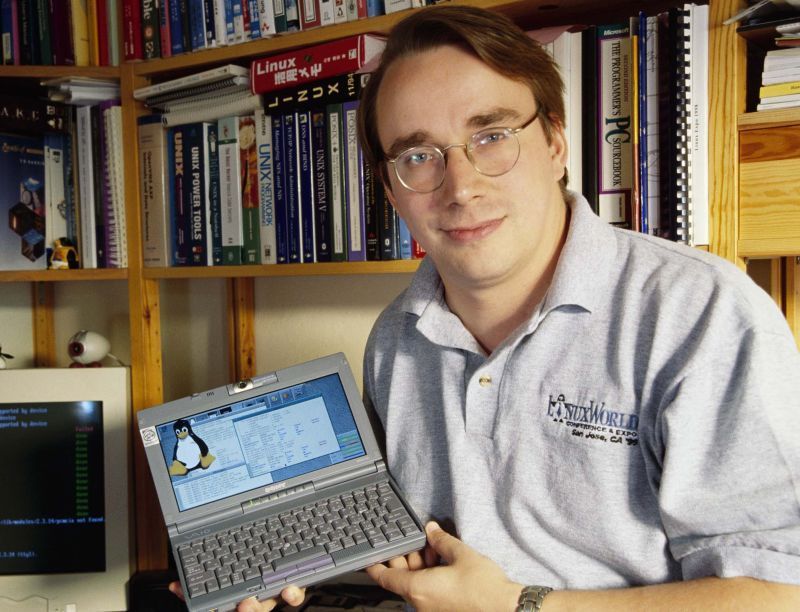
What started as a Uni project in Helsinki during the 90’s became a turning point for software development.
Other CMS options.
The table below summarises how the main options compare, but the cost column alone tells most of the story. For a product with a substantial content operation, such as a large product catalogue, frequent campaigns, or a content team making updates daily, a cloud CMS can run to thousands of euros a month in licence fees, costs that compound quietly over the years a product is in production. In self-hosted options, that cost is effectively zero: hosting and storage remain, but they are predictable and scale with your own growth rather than a vendor's pricing decisions.
| CMS | Model | Cost | Lock-in | Notes |
|---|---|---|---|---|
| Payload | Open-source self-hosted | Hosting only | None | TypeScript-native, lives inside the codebase |
| Strapi | Open-source self-hosted | Hosting only | Low | Direct open-source competitor; less TypeScript-native, more legacy architectural decisions |
| WordPress | Traditional, plugin-heavy | Hosting only | Medium | Mature ecosystem; significant maintenance overhead, plugin fragility, and security surface for new projects |
| Storyblok | Headless cloud | €90–660/month depending on plan | High | Strong visual editing experience; SaaS pricing scales with usage |
| Contentful | Headless cloud (enterprise) | From ~€300/month, rises quickly | High | Robust and battle-tested at scale; expensive, with pricing that grows with volume |
| Sanity | Headless cloud (developer-first) | From ~€85/month | Medium-high | Schema-as-code is genuinely good; data remains on Sanity's infrastructure |
| DatoCMS | Headless cloud | From ~€159/month | High | Clean experience; per-record pricing can become unpredictable as a catalogue grows |
| Webflow | Visual builder | From ~€29/month per site | Medium-hight | Good for simple marketing sites; constrained for products with complex data or custom integrations |
| Framer | Visual builder | Low | Low-medium | CMS layer still maturing; limited depth for complex editorial workflows or relational content |
When to turn to them.
Building with a headless, self-hosted, and open-source CMS is our default recommendation for most of the product work we take on, but each project has its own requirements worth considering before making a decision. A simple marketing site with a two-week timeline and no infrastructure budget is better served by Webflow or Framer, making it faster to launch, less overhead, and well-suited to the scope. A non-technical team that needs a fully managed product with no DevOps involvement has good reasons to consider a cloud CMS like Storyblok, whose visual editing experience is genuinely strong and whose vendor trade-off is reasonable when editorial speed matters more than infrastructure ownership. For e-commerce projects specifically, where marketing teams need to publish at commercial pace without developer involvement, managed hosting often makes practical sense. And for businesses running an established WordPress installation with years of content and a functioning editorial team, the disruption of migrating will usually outweigh whatever is gained.
There’s a consistent pattern: self-hosted open-source tends to lose out when the timeline is very short, the team is non-technical, or the existing system would be too costly to leave. When none of those conditions apply — when there is a development team, a real roadmap, and a product built to last — the case for owning your infrastructure holds across every dimension that matters over time.
Future-proof your e‑commerce platform migration.
A platform migration is really a bet on the future: the technology changes, but what you are actually choosing is the foundation the next few years of growth will be built on.
Choosing a CMS wisely.
The CMS decision rarely feels urgent until it is. By then, migration effort, developer time, and the quiet drag of a marketing team that can't move independently have usually made the cost of fixing it considerably higher than the cost of getting it right at the start.
We keep coming back to self-hosted, open-source, headless CMSs because they consistently hold up across every dimension that matters over time: the product stays yours, the costs stay predictable, and the architecture grows with the business rather than against it.
The right tool always depends on the project, and we will always tell you which one that is.
Significa
Team
Think, Design, Develop, Launch. Write. Repeat. Enjoy our collective musings coming from across our product, design and development teams, all in a neat blog post for you.
We build and launch functional digital products.
Related articles
Rui Sereno
CEO
Rui Sereno
CEO
Rui Sereno
CEO
7 August 2026
•
5 min read