2 Nov 2026
•
5 min read
Decision-making and AI: how we prototype at Significa.
The first prototype I ever built started with an overwhelming spreadsheet.
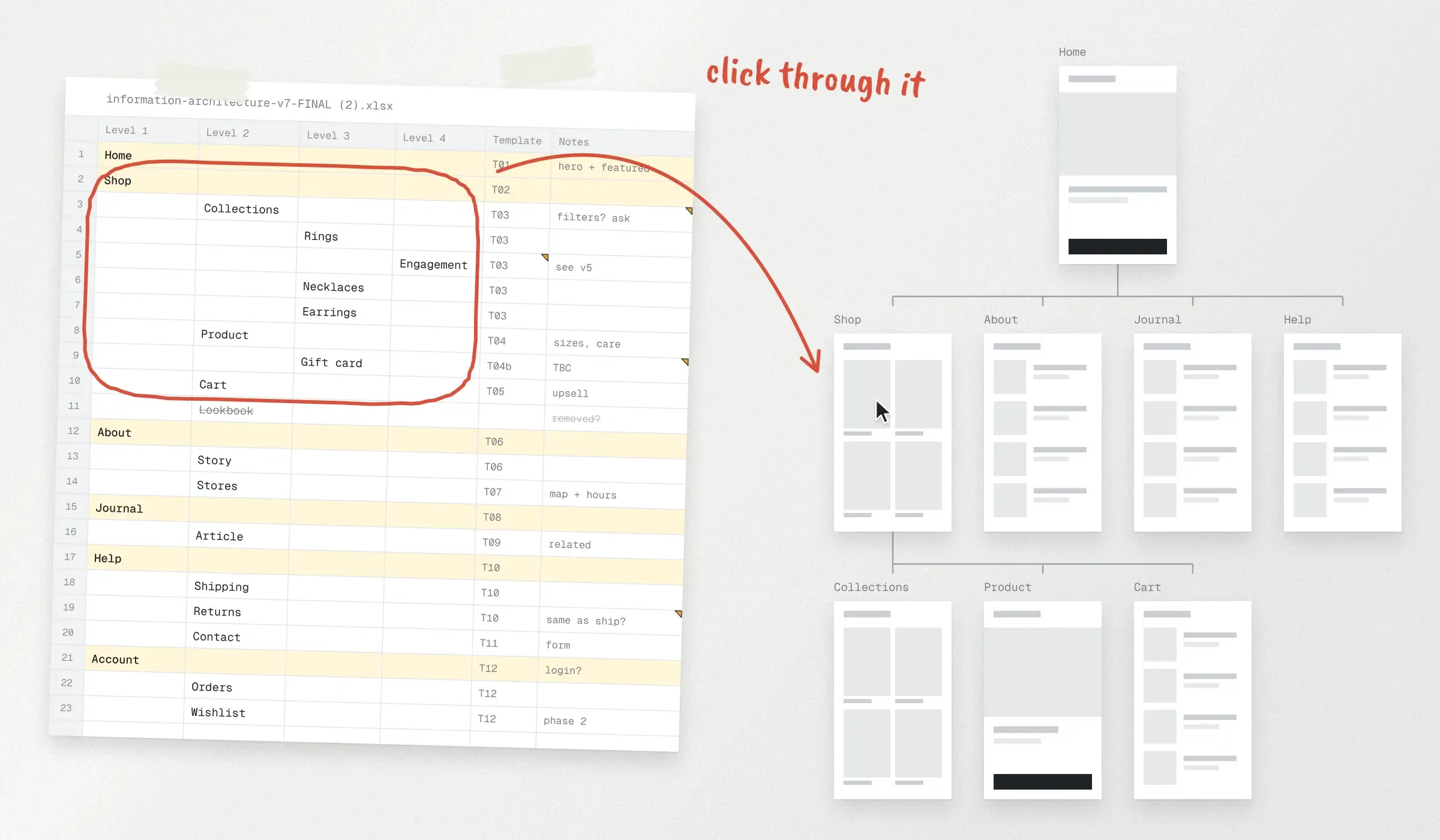
A client had sent us the information architecture for their new site as an Excel file, rows and columns nested several levels deep, which made sense only to the people who built it. I asked AI to turn it into something you could click through, and the spreadsheet became the skeleton of a website. For the first time, everyone involved could look at the same source of truth.
My background is in marketing, which is my main focus at Significa, but a good part of my day-to-day now goes into prototyping with AI, which puts me where product definition happens. That makes me, in practice, a prompt engineer: the human who decides what the AI is told, what it's allowed to do and whether the result is useful. Rui has already explained how we restructured our design process around AI prototypes, and Tiago went deep on how we run a Product Discovery with AI. Both these articles describe a process that relies on someone turning decisions into a working prototype, and on three projects so far, including an online jewellery shop and an app for exploring nature, that someone has been me.
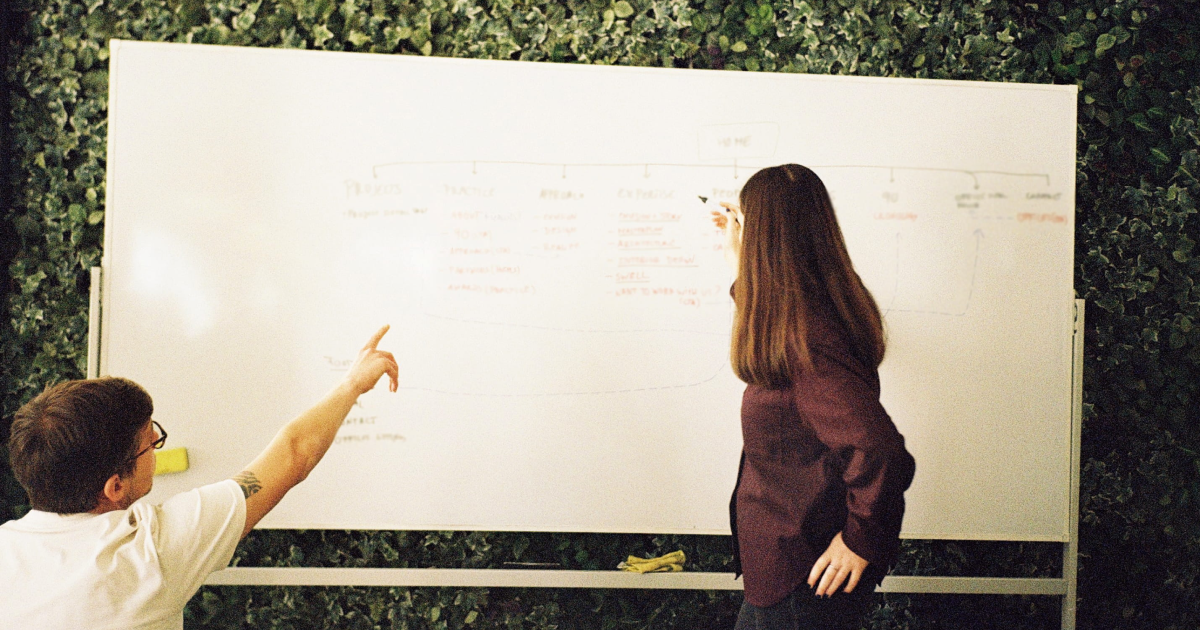
I started prototyping on my own initiative, and after that spreadsheet experiment, it became part of how we work. Everyone at Significa writes prompts now, and although we share best practices and swap tips constantly, each of us does it differently, because we bring the questions our background has trained us to ask. Mine come from marketing, so I start with what a page is for and whether it will convert, which is how a shop with its products buried under a wall of text gets flagged before anyone has designed it. I also look at whether a page's structure will work for search engines and AI assistants, since what gets settled in a prototype shapes a site's visibility long after launch.
Job descriptions matter less here than two things we all agree on: the person with the right expertise makes the call, never the model, and the time AI saves goes back into the product. The rest of this article is how that plays out from my keyboard.
How we redesigned our design process with AI prototyping.
Learn how we moved prototyping to the front of the design process.
On prompting
Prompt engineering sounds like finding the magic words. In reality it’s closer to writing a very good brief, and the AI only executes it, so everything that needs judgement happens before I write the prompt or after the output comes back.
That judgement starts with context. Before the first screen of the wildlife project existed, I put together everything the model would work from, including the project documents, my raw notes from the workshops, screenshots of the reference apps we’d chosen and the client’s brand guidelines, which came with one instruction attached: apply nothing visual. The AI only ever sees material that isn’t confidential, and all of it lives in the Discovery repository Tiago described, where the team logged 99 decisions on that project.
Then come the rules it works under. The same instruction sits at the top of every session, and translated, it reads: “You build; you do not decide product, you do not change scope, you do not invent features. If something is not defined, ask before building.” I wrote it because a model’s default is to fill gaps, and on a client project every gap filled without asking is a decision nobody took. Questions also travel the other way: when I’m unsure about a structure, I ask the model for options and the arguments behind them, and take those to the team.
Most of the work after that is translation. The team makes decisions, and I turn them into instructions one page at a time, because a page is something I can check against the decision log in a few minutes. Ask the model for the whole prototype at once and it changes dozens of screens in one go, which is where the inventions and mistakes hide. Working page by page keeps the checking manageable: after each change I ask which pages were touched, click through them myself and tick them off a QA checklist, which reached 68 items on the wildlife project.
For all that checking, the first prototype still arrives quickly. Depending on the project, it’s ready before the Discovery workshop or comes straight out of it and on the wildlife project a navigable prototype covering 61 routes existed two days after the workshop ended. Back when we started from static wireframes, it took about a month just to reach them, and nobody could click through them once we had.
Much of that month now goes into tuning and testing the flows, the part of the process that always got squeezed. That’s why we can hand over a refined prototype one to two weeks after the workshop, and why one round of adjustments with the client is usually enough.
When a prototype changed a product decision
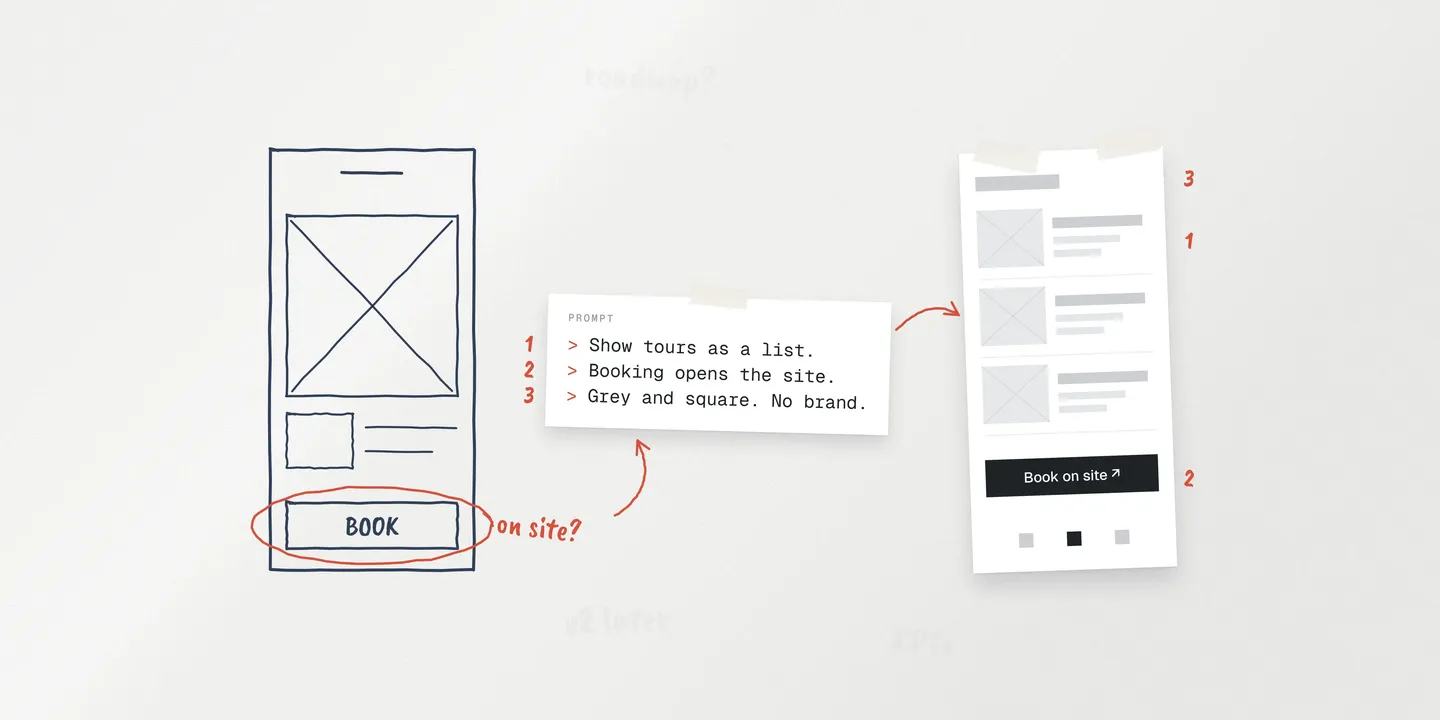
On the wildlife project, the original scope assumed visitors would book inside the app, but the workshop painted a different picture, with the website for planning before the visit and the app for the visit itself.
The two pictures could coexist on paper, and it was only once the site and the app sat side by side in the prototype that the problem showed. Booking had to live somewhere, and building it in both places meant building two products. I took it to the team, and the decision came back in a sentence I passed to the model almost word for word: “we can have the activities in the app, but if people want to book, they’re sent to the website.” It went into the decision log as a reduction in scope, and the client approved it at the next meeting.
It never needed escalating, because the team that ran into the problem was the same team that could decide on it. Catching it in a grey prototype also kept the fix cheap: one sentence in a prompt, before anyone had designed or built a booking flow.
Faster product discovery, sharper decisions.
Discover how Significa uses AI and a structured repo to turn client workshops into build-ready plans.
From prototype to product.
This is the part that matters most, because a prototype nobody can pick up is just a demo.
On the jewellery project, the prototype went through five versions in the two weeks before the workshop, and afterwards one of our senior designers took it over. Instead of starting again in Figma, they kept the code and evolved it, bringing in the design foundations it lacked until it was ready for look and feel. The most complex flow, a purchase with conditions attached, worked well enough in the prototype to prove the logic, and the designer then rethought it properly from a design and UX point of view without throwing anything away.
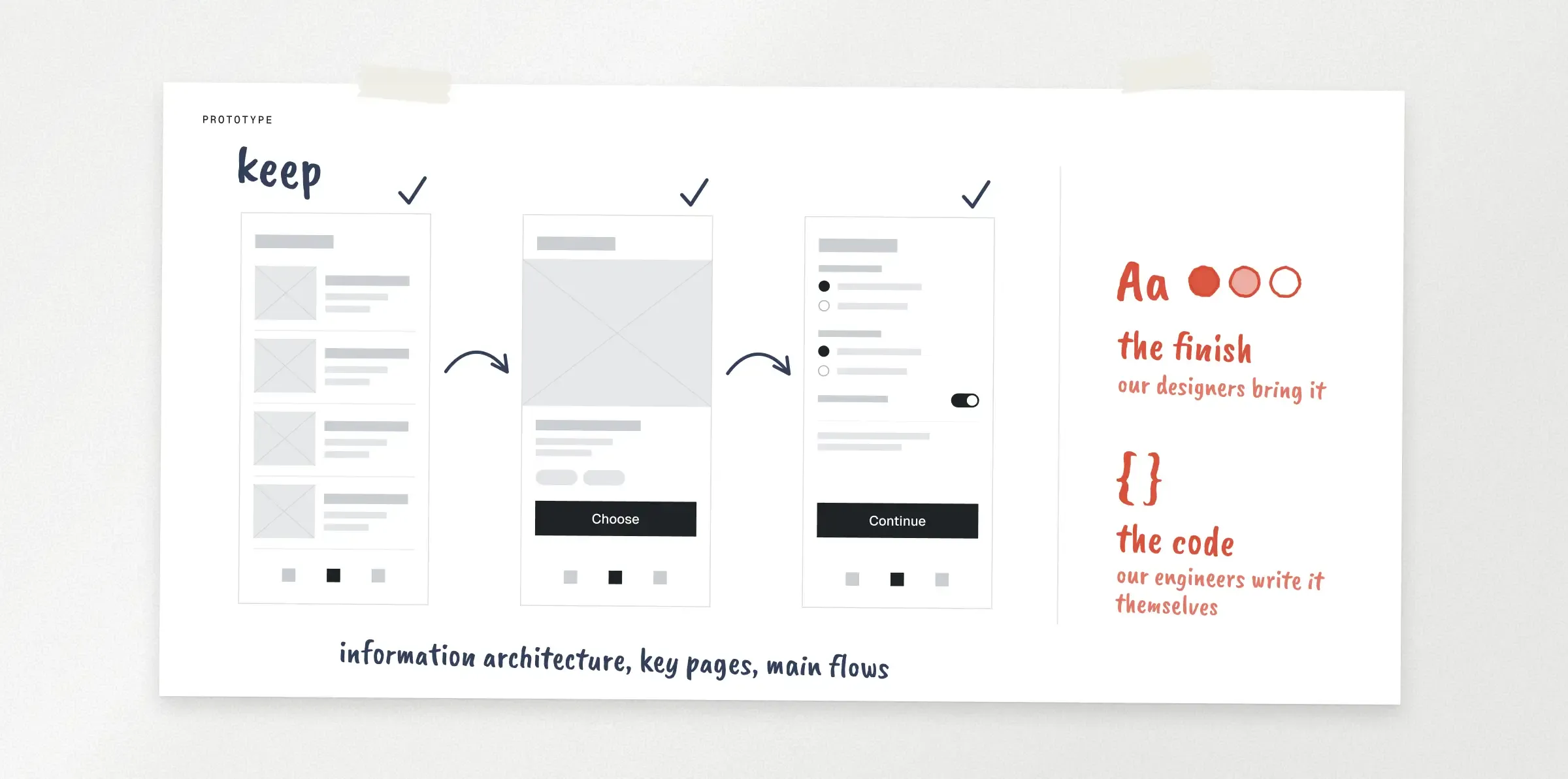
Across all three projects, the structure has survived the handover, meaning the information architecture, the key pages and the main flows, and the finish is what our designers bring to it.
Our engineers use the prototype as a reference and write the product’s code themselves. For clients, we keep the prototypes deliberately cold, grey, square and unbranded, and explain from the start that what they’re seeing is the logic, there to help our designers once look and feel begins. So far, that has kept expectations where they should be.
None of this means anyone with an AI subscription can build a product. Our prototypes work because of what surrounds them, from the discovery process and repository Tiago described to the plugin of skills each of us runs in our own way. Above all, they work because our designers and engineers know what to keep and what to rebuild, and their judgement is what turns the prototype’s logic into a product people love.
Caveats we look out for.
The model’s mistakes follow patterns, which makes them easier to catch once you know where to look.
The most common is invention, and the model does it plausibly. On one project it added a landing page for a campaign nobody had asked for and gave people on an About page job titles nobody had given them, and each addition looked reasonable, which is exactly the problem. The no-invention rule helps, and what catches the rest is checking content against our sources, however well it reads.
It also grows scope surreptitiously. When I audited the prototype against the decision log, the model admitted it had flagged the large additions but built the small ones without saying anything, and small features are still features nobody had agreed to. So we now check everything it has done, including what wasn’t asked for.
Some bugs are harder to spot because the screen looks fine. A map in the prototype kept routing people through an area that was closed, and an automated review on a pull request caught it, because generated code goes through the same review as everything else we write.
Moreover, it drifts towards polish. It once built an iOS-style navigation bar I liked a lot, and that was exactly why it had to go: anything that polished would have pulled the conversation with the client towards visuals.
A better use of our time
AI gives us efficiency, and we put the time it saves back into the product, mostly into getting the prototype right before anyone starts making it beautiful. That first spreadsheet became something clickable within minutes, and most of what we’ve learned since is about making sure the thing everyone clicks through is the thing everyone agreed to build.
Tomás Gouveia
Marketer
Tomás joined Significa as an intern, expecting to make coffee all day, every day. As yet, he’s never made anyone a coffee, as he’s found himself busy as we work out how best to share our story with the world. Tomás has already been a big part of that, and he seems to have settled in well enough to know that he must always lose at karting when invited - ah, the perils of being an intern, he’s learnt fast… We knew he was smart when he started a race 1st, only to finish last.
We build and launch functional digital products.
Related articles
Tiago Duarte
CPO
27 October 2026
•
6 min read
Significa
Team
23 October 2026
•
6 min read
Rui Sereno
CEO